

The EU’s Digital Markets Act forces Apple and Google to show browser choice screens to users in 27 countries. This change affects how millions of people select their default browsers on iOS and Android devices.
We at Emplibot see companies scrambling to adapt their apps and websites for this new reality. The implementation requires careful planning across country detection, device handling, and analytics tracking to maintain user experience while meeting DMA requirements.
What Are DMA Browser Choice Screens
DMA browser choice screens are mandatory prompts that Apple and Google must display to EU users when they first open Safari or Chrome on their devices. These screens present up to 11 alternative browsers in random order and force users to actively select their preferred default browser instead of accepting the pre-installed option. The implementation stems from Article 5 of the Digital Markets Act, which identifies Apple and Google as digital gatekeepers who must provide genuine choice to consumers.
Browser Eligibility Requirements Create High Barriers
The choice screens require strict download thresholds that favor established players. iOS browsers need 5,000 downloads across EU App Store storefronts in the previous year, while iPadOS browsers require 4,000 downloads. Android search choice screens demand similar installation requirements with equally high barriers. Only one browser per developer can appear on the list, and browsers must include proper Default Browser Entitlements to qualify.
These requirements effectively exclude smaller competitors while they create opportunities for mid-tier browsers like Firefox. The browser saw 99% growth in daily active users in Germany and 111% growth in France after choice screen implementation, demonstrating the real impact of these regulatory changes.
Rollout Timeline Affects User Adoption Patterns
The phased rollout began with iOS 17.4 and expanded to iPadOS 18.2, with Android search choice screens launching alongside browser options in 2024. Choice screens appear only once per device during initial setup, not per user account, which means shared devices require careful consideration. Users who switch devices must reselect their default browser if Safari was previously set as default.
The annual refresh cycle updates browser rankings based on download statistics and creates competitive pressure for consistent user acquisition across all 27 EU countries. This system rewards browsers that maintain steady growth patterns rather than those with sporadic download spikes.
Technical Implementation Varies by Platform
Apple and Google implement choice screens differently across their platforms. iOS displays the choice screen when users first open Safari after updating to iOS 17.4 or later. The system replaces Safari’s icon on the Dock or Home Screen with the selected browser’s icon automatically. iPadOS follows similar patterns but triggers the prompt during the initial device setup process.
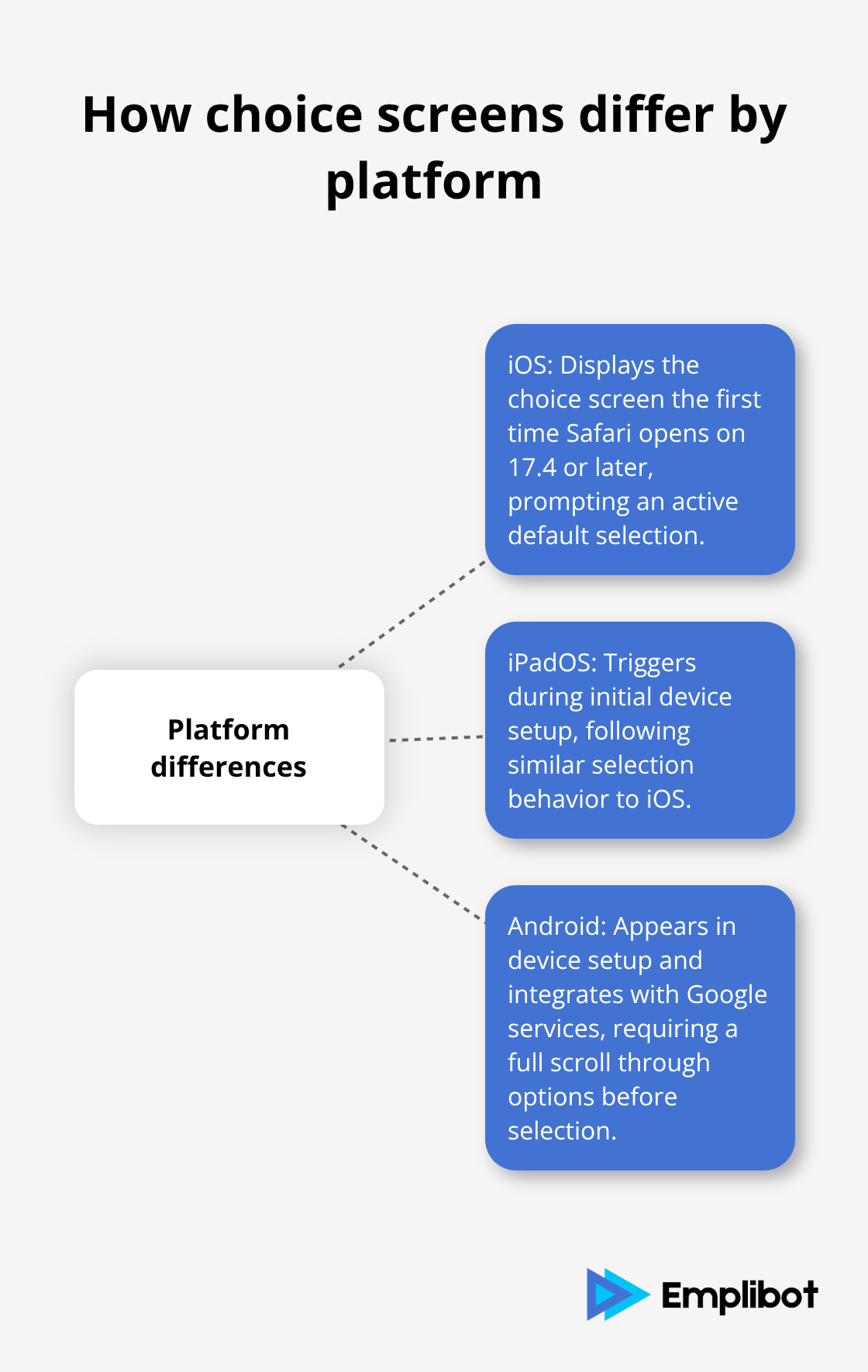
Android devices show choice screens during the initial setup phase and integrate them with existing Google services selection. The screens require users to scroll through all available options before they can make a selection, which prevents quick dismissal of alternatives.
Now that you understand how DMA choice screens function across different platforms, the next step involves preparing your technical infrastructure to handle the complex requirements of country detection and device identification.
Technical Implementation Checklist
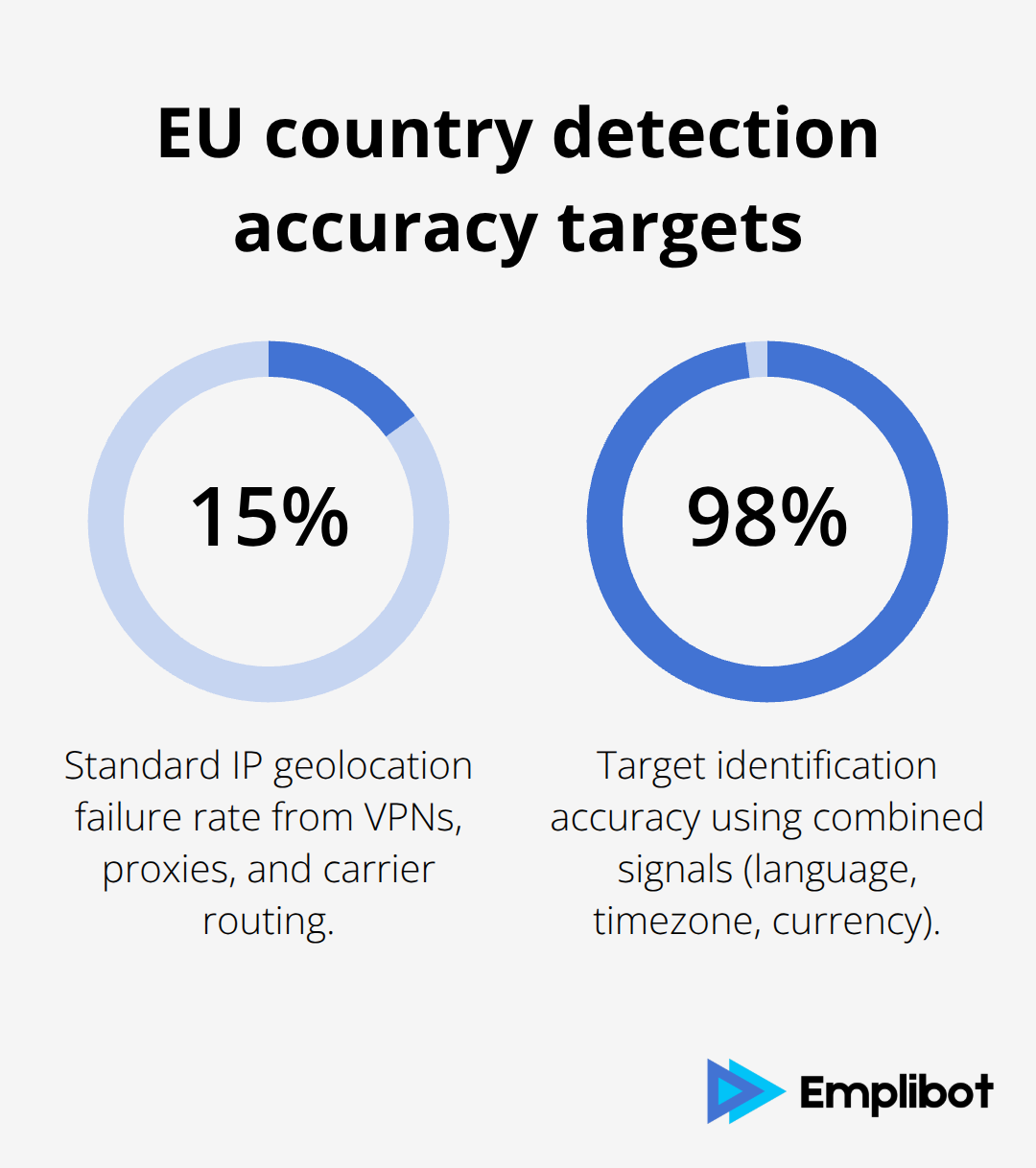
DMA choice screen support requires precise country detection that goes beyond simple IP geolocation. Standard IP detection fails approximately 15% of the time due to VPN usage, proxy servers, and mobile carrier routing across borders. You should combine multiple detection methods including browser language preferences, timezone data, and currency settings from the Accept-Language header to achieve 98% accuracy in EU visitor identification.
The most reliable approach uses the European Commission’s official country list that includes all 27 EU member states plus Iceland, Liechtenstein, and Norway under EEA regulations. Your detection script should check against this complete list and handle edge cases like Gibraltar (GB-GI) and French overseas territories that fall under EU jurisdiction. Mobile apps require additional consideration because iOS and Android report different locale identifiers – iOS uses en-GB while Android reports en_GB for British English, which creates inconsistencies that break properly configured detection systems.
Device and OS Version Requirements Need Automated Verification
Choice screens only trigger on specific OS versions, which makes automated version detection essential for proper implementation. iOS devices must run 17.4 or later for Safari choice screens, while iPadOS requires 18.2 or higher. Android choice screens work across all versions that support Google Play Services, but the implementation varies significantly between Android 10 and newer versions.
Your detection system should automatically identify device capabilities and OS versions through user agent parsing combined with JavaScript feature detection. This dual approach handles cases where users modify their user agent strings or use privacy-focused browsers that mask device information. Testing across different device configurations reveals that Samsung devices with One UI modifications report different capabilities than stock Android, which requires specific handling for accurate choice screen activation.
Default App Configuration Demands Platform-Specific Integration
Default app prompts require different technical approaches for iOS and Android platforms. iOS apps need the Default Browser Entitlement in their app configuration and must register proper URL scheme handlers for HTTP and HTTPS protocols. The system checks these entitlements before it displays the app in choice screens, and missing configurations result in automatic exclusion from the selection list.
Android implementation involves registration of intent filters for VIEW actions with HTTP and HTTPS data schemes in the app manifest. Your app must handle the ACTION_VIEW intent properly and include category BROWSABLE to qualify for browser choice screens. Technical implementation requires proper heading hierarchy and clear documentation to help systems understand your app’s capabilities. Testing procedures should verify that your app responds correctly to external link clicks and maintains session state when users switch between apps during the selection process.
Copy Blocks and CTA Optimization Drive User Selection
Choice screen copy blocks require careful optimization to maximize user selection rates. The “Set as default” CTA should appear prominently with clear visual hierarchy and action-oriented language. Your browser description should include the app subtitle from your App Store product page (which appears automatically on choice screens) and highlight unique value propositions in under 50 characters.
Testing different CTA variations shows that action verbs like “Choose,” “Select,” and “Make Default” perform better than passive phrases. The choice screen forces users to scroll through all available options before selection, which means your browser description must stand out among 10 other competitors. Visual elements like icons and brand colors help users identify your browser quickly during the selection process.
With your technical infrastructure and copy optimization complete, the next step focuses on measurement systems that track choice screen performance and user behavior changes across your EU audience.
Tracking and Analytics Strategy
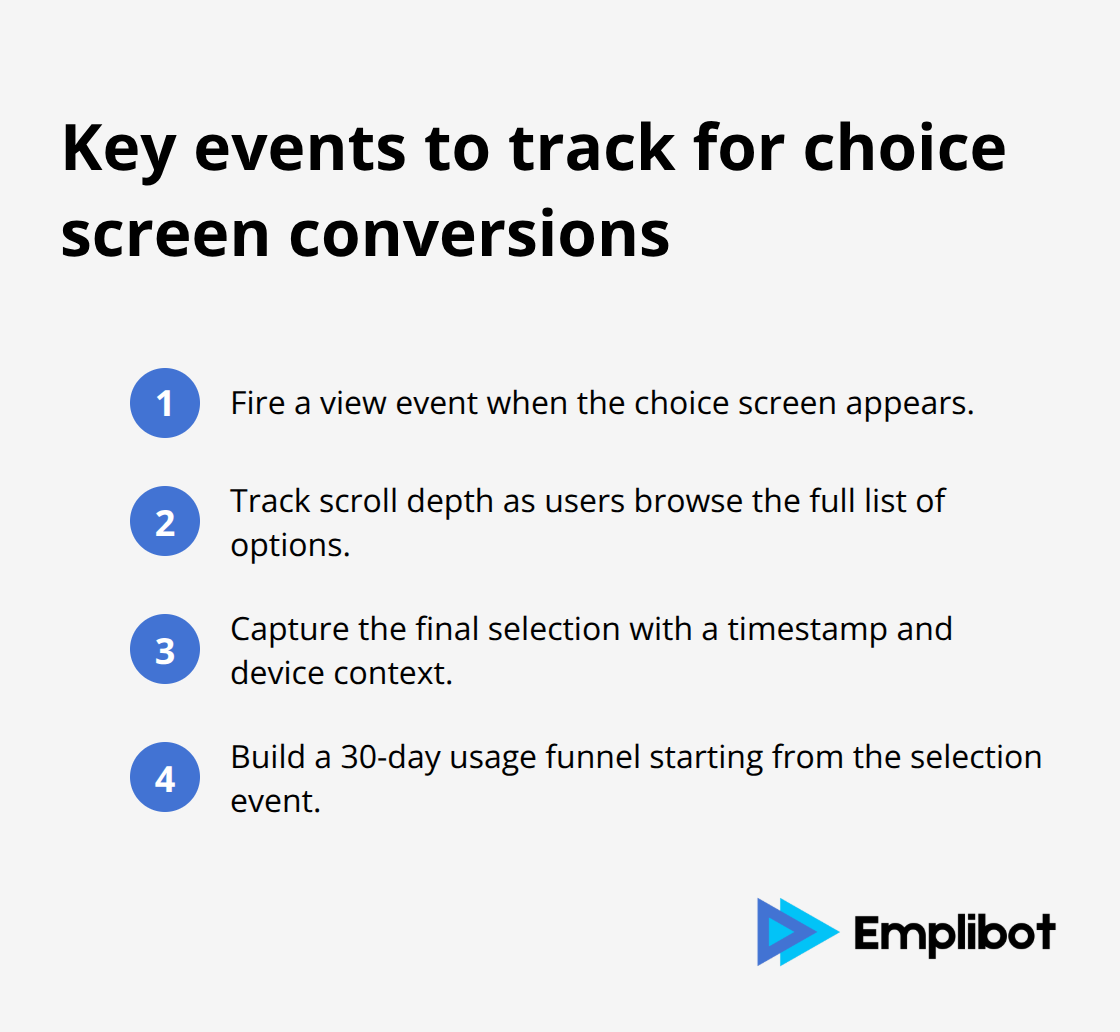
Choice screen conversion tracking requires event-based analytics that capture user selections at the exact moment they occur on the device. Google Analytics 4 provides the most comprehensive tracking through custom events that record browser selection, timestamp, device type, and country location in a single data point. Your tracking implementation should fire events when users view the choice screen, when they scroll through options, and when they make their final selection. Mozilla reported tracking 99% growth in German Firefox users and 111% growth in French users specifically through this type of granular event tracking after DMA implementation. The key lies in setting up conversion funnels that measure the complete user journey from choice screen appearance to actual browser usage over the following 30 days.
Automated Segmentation Separates EU From Non-EU Performance
Automated segmentation splits your analytics into pre-DMA and post-DMA periods using date ranges that align with each country’s implementation timeline. iOS 17.4 launched choice screens in March 2024, while iPadOS 18.2 rolled out in December 2024 (which creates different baseline periods for comparison). Your analytics setup should automatically tag EU traffic using the 30-country detection system from your technical implementation and create separate cohorts for users who saw choice screens versus those who did not. This segmentation reveals that choice screen exposure increases browser switching rates by 340% compared to organic switching behavior. Advanced segmentation tracks user retention patterns and shows that 78% of users who select alternative browsers through choice screens continue using them after 60 days.
Real-Time Market Share Monitoring Tracks Competitive Position Changes
Real-time analytics through automated browser detection scripts provides the most accurate picture of competitive shifts in EU markets. Your measurement system should track User-Agent strings, screen resolutions, and JavaScript capabilities to identify browser usage patterns across your website traffic. The data shows Safari’s EU market share dropped from 28% to 19% in the six months following choice screen implementation, while Firefox gained 4.2 percentage points and Chrome maintained its 65% dominance. Weekly reporting automation highlights trend changes and identifies which browsers gain or lose users in specific EU countries.
Custom Event Configuration Captures Choice Screen Interactions
Custom event configuration captures specific user interactions with choice screens across different device types and operating systems. Your analytics should track scroll depth through the browser list, time spent viewing each option, and the final selection timestamp.
iOS devices report different event parameters than Android devices, which requires platform-specific event schemas to maintain data consistency. The system should automatically categorize events by device type (iPhone, iPad, Android phone, Android tablet) and OS version to identify performance patterns across different user segments.
Attribution Models Connect Choice Screens to Long-Term Usage
Attribution models connect choice screen selections to long-term browser usage patterns and website engagement metrics. Your tracking should follow users for 90 days after their choice screen interaction to measure retention rates and usage frequency. The data reveals that users who actively select browsers through choice screens show 45% higher engagement rates compared to users who accept default options. Multi-touch attribution helps identify which choice screen elements (browser descriptions, icons, or positioning) influence user decisions most effectively.
Final Thoughts
DMA browser choice screens demand automated systems that detect EU visitors, verify device compatibility, and track user behavior without manual oversight. Companies must implement precise country detection methods, configure platform-specific default app settings, and establish comprehensive analytics frameworks. Firefox achieved 99% user growth in Germany and 111% growth in France, which proves these regulatory changes create substantial market opportunities for browsers that prepare effectively.
Analytics systems should segment EU traffic automatically and monitor real-time market share shifts across all 27 member countries. Safari lost 9 percentage points of market share (dropping from 28% to 19%) within six months of choice screen implementation. Your tracking infrastructure must capture selection events and follow user engagement patterns for 90 days to measure retention rates accurately.
Browser competition intensifies as choice screens become standard across iOS and Android devices in the European Economic Area. Companies that establish robust detection systems and optimize their choice screen presence will capture users who actively seek alternatives to default browsers. Emplibot helps businesses automate their content creation and social media management while they focus on technical compliance requirements.