

WordPress sites publish more content when they automate the process. An autoblogging WordPress plugin handles the repetitive work of scheduling, formatting, and publishing posts so your team can focus on strategy instead.
At Emplibot, we’ve seen firsthand how automation transforms content operations. The right plugin eliminates bottlenecks and keeps your publishing calendar full without burning out your staff.
What Autoblogging Plugins Actually Do
An autoblogging plugin connects to content sources-RSS feeds, news sites, social media, or APIs-and automatically pulls new content into your WordPress site on a schedule you define. The plugin then formats that content, adds images, applies your site’s styling, and publishes it as a live post without manual intervention. Most plugins let you set publishing frequency from hourly to weekly, apply keyword filters to stay on-topic, and decide whether posts go live immediately or sit as drafts for review.
WP RSS Aggregator handles multiple feed sources with 50,000 active installations and a 4.5/5 rating, while WPeMatico supports both RSS and API-based imports with 10,000 installations and a 4.8/5 rating. Feedzy offers a Feed to Post feature that converts RSS items into full WordPress posts with 50,000 installations and a 4.7/5 rating. These plugins save your team from repetitive work-finding, formatting, and scheduling content-which frees up hours each week for strategy, editing, or promotion instead.
Why Quality Control Matters More Than Speed
The biggest mistake businesses make with autoblogging is treating quantity as a substitute for value. A 2024 Semrush study found that 67% of marketers now use some form of AI in content creation, but the ones seeing real results spend time curating sources and editing posts before they go live. Google penalizes thin or low-quality automated content, so your plugin setup must include filters that exclude irrelevant topics and a workflow where someone reviews posts before publishing.
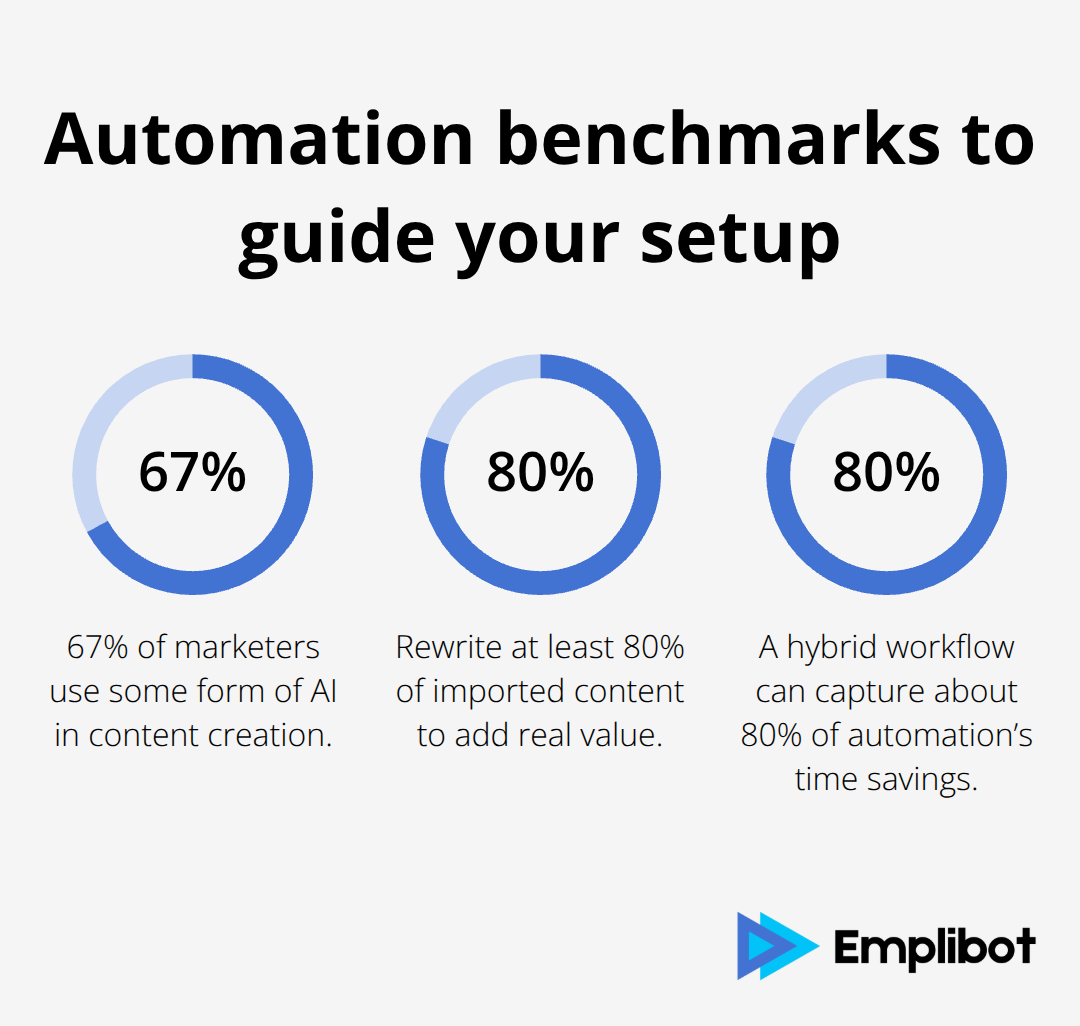
Canonical tags for SEO protection help streamline crawls and reduce unnecessary indexing of duplicate or thin pages. Try limiting yourself to about 3–5 posts per day to avoid triggering spam signals, and rewrite at least 80% of imported content to make it genuinely useful. Automation works best when it handles the heavy lifting (research, formatting, internal linking, schema markup) while your team focuses on accuracy and voice.
Integration With Your Existing Workflow
The right plugin fits into your current tools and processes, not the other way around. If you use Yoast SEO or Rank Math, your plugin should work seamlessly with these platforms so imported posts get optimized automatically. Google Analytics integration matters too-you need to track which sources drive traffic, which topics engage readers, and which publishing times work best for your audience.
Consider whether you need social sharing automation; Blog2Social integrates with most autoblogging setups and distributes posts to Facebook, Instagram, Twitter, and LinkedIn with 50,000 active installations. Test any plugin with 10–20 posts before going live to see how it handles images, formatting, and SEO elements on your actual site and theme. Performance is critical-a slow plugin kills user experience and tanks your search rankings, so check setup reviews on update frequency and whether the plugin’s activity slows your site.
What Separates Strong Plugins From Weak Ones
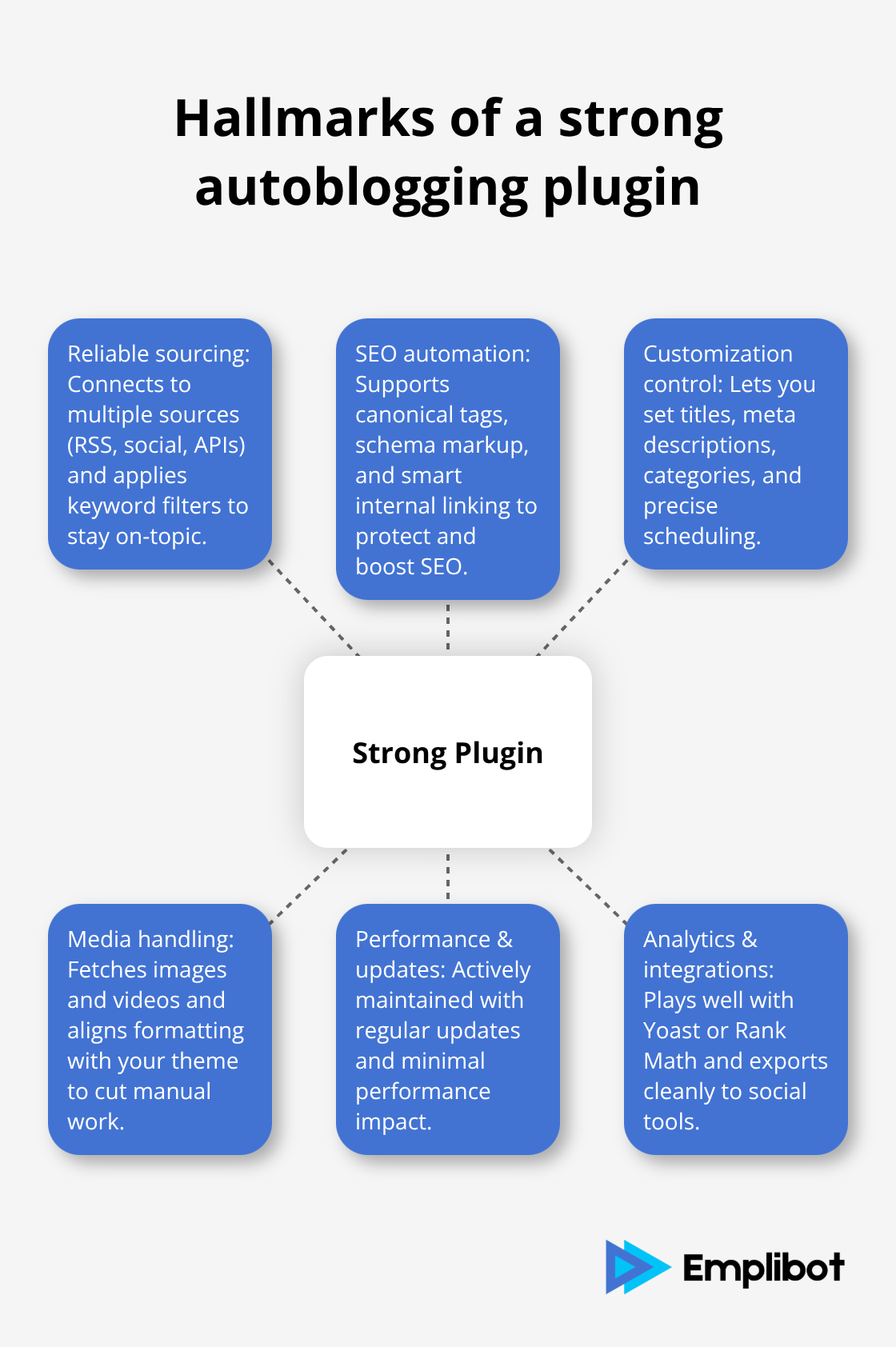
Not all autoblogging plugins deliver the same results. The best ones combine reliable content sourcing with built-in SEO automation and flexible customization options. Look for plugins that let you control post titles, meta descriptions, and internal linking rather than forcing a one-size-fits-all approach. Plugins that support multiple content sources simultaneously (RSS feeds, social media, APIs) give you more flexibility to diversify your content mix and reduce dependency on any single source.
The plugins you choose should also handle media properly-fetching images and videos alongside text content improves engagement and reduces manual work. Support for canonical tags, schema markup, and category assignment matters because these elements signal quality to search engines. When you evaluate options, prioritize plugins with active development, regular updates, and strong user ratings (4.5 stars or higher) to ensure long-term reliability and compatibility with WordPress updates.
What Autoblogging Actually Delivers for Your Business
Autoblogging transforms how fast your team ships content and how consistently that content reaches your audience. Without automation, publishing even five posts per week requires someone to research topics, write or source material, format posts, add images, optimize for SEO, and schedule publication. That’s roughly 15-20 hours of manual work per week for a single person. An autoblogging plugin collapses that timeline dramatically. WP RSS Aggregator and WPeMatico users report completing in hours what previously took days, freeing your team to focus on strategy, audience engagement, and revenue-generating activities instead of repetitive formatting tasks.
Consistent Publishing Wins With Search Engines
Google’s algorithm rewards sites that publish fresh content regularly. Sites using autoblogging plugins maintain publishing cadences that would be impossible to sustain manually, often posting 3-5 times daily or 20-30 posts monthly without additional staff. This frequency signals to search engines that your site is active and relevant, which improves crawl frequency and indexing speed. A consistent publishing schedule also trains your audience to expect new content, which boosts return visits and dwell time. The plugins we mentioned earlier-Feedzy, WPeMatico, and WP RSS Aggregator-all support custom scheduling so you control exactly when posts go live. You can publish during peak traffic hours for your audience or spread posts evenly throughout the day to maintain visibility. This level of control over publishing timing is nearly impossible to manage manually, especially across multiple time zones or content sources.
Traffic Growth Without Proportional Team Expansion
The math is straightforward: more published content drives more organic traffic, assuming quality stays consistent. A site publishing 30 posts per month from automation can capture roughly three times more long-tail keyword variations than one publishing 10 posts manually. Each post represents another opportunity for organic discovery. You avoid the hiring costs and management overhead that come with scaling a content team. Instead of bringing on two or three new writers to increase output, you invest in a plugin that costs $20-50 monthly and handles the volume automatically. That’s a fraction of one salary while delivering substantially more content. Internal linking automation, which strong plugins handle, multiplies this effect by building topical authority across your site. When your plugin automatically links related posts, readers spend more time on your site and search engines recognize your depth of coverage in specific topics.
How Plugin Choice Impacts Your Results
Not every autoblogging plugin delivers equal performance. The ones that produce real traffic gains combine reliable content sourcing with built-in SEO automation and flexible customization. You need control over post titles, meta descriptions, and internal linking rather than a one-size-fits-all approach. Plugins that support multiple content sources simultaneously (RSS feeds, social media, APIs) give you flexibility to diversify your content mix and reduce dependency on any single source. Strong plugins also handle media properly-they fetch images and videos alongside text content, which improves engagement and reduces manual work. Support for canonical tags, schema markup, and category assignment matters because these elements signal quality to search engines and protect your site from duplicate content penalties.
The next step involves understanding which specific features matter most for your business model and how to configure them properly.
Selecting and Configuring the Right Plugin for Your Needs
Choosing an autoblogging plugin requires matching specific features to your business model rather than picking the most popular option. Start by listing your actual constraints: how many posts per month you need, what content sources exist in your niche, and which SEO tools already run on your site. WP RSS Aggregator works best if you pull from 5-10 RSS feeds and need basic scheduling; WPeMatico handles more complex workflows with API integrations and image caching; Feedzy suits affiliate sites needing product data feeds. Test each plugin with 10-20 sample posts on a staging environment before going live. Watch for three specific issues during testing: how the plugin handles image sizing on your theme, whether it strips or preserves formatting from source content, and whether SEO elements like title tags and meta descriptions generate correctly. A plugin that works perfectly for another site may slow yours or clash with your existing Yoast SEO or Rank Math setup. Performance matters enormously-test page load speed before and after activation using Google PageSpeed Insights. If your site drops more than 0.5 seconds in load time, that plugin will hurt your rankings regardless of how much content it publishes.
Integration With Your Current Stack
Integration with your current stack determines whether automation actually saves time or creates more work. Your plugin must connect smoothly with your SEO platform, analytics setup, and social distribution tools. If you use Rank Math, verify the plugin respects its internal linking rules and schema markup rather than overwriting them. Google Analytics integration lets you track which sources drive actual traffic versus which ones waste crawl budget on low-engagement content. Blog2Social with 50,000 active installations handles cross-platform posting automatically, but only if your plugin exports content in a format Blog2Social recognizes.
Configuration in Three Stages
Configuration happens in three distinct stages. First, add your content sources and set keyword filters to exclude irrelevant topics-a news site covering technology should filter out celebrity gossip entirely rather than publishing everything and hoping readers ignore bad posts. Second, establish your publishing cadence at 3-5 posts daily maximum; exceeding this threshold signals automation to Google’s spam detection systems. Third, activate your editorial workflow by keeping new posts as drafts for 24 hours so your team reviews them before publication.
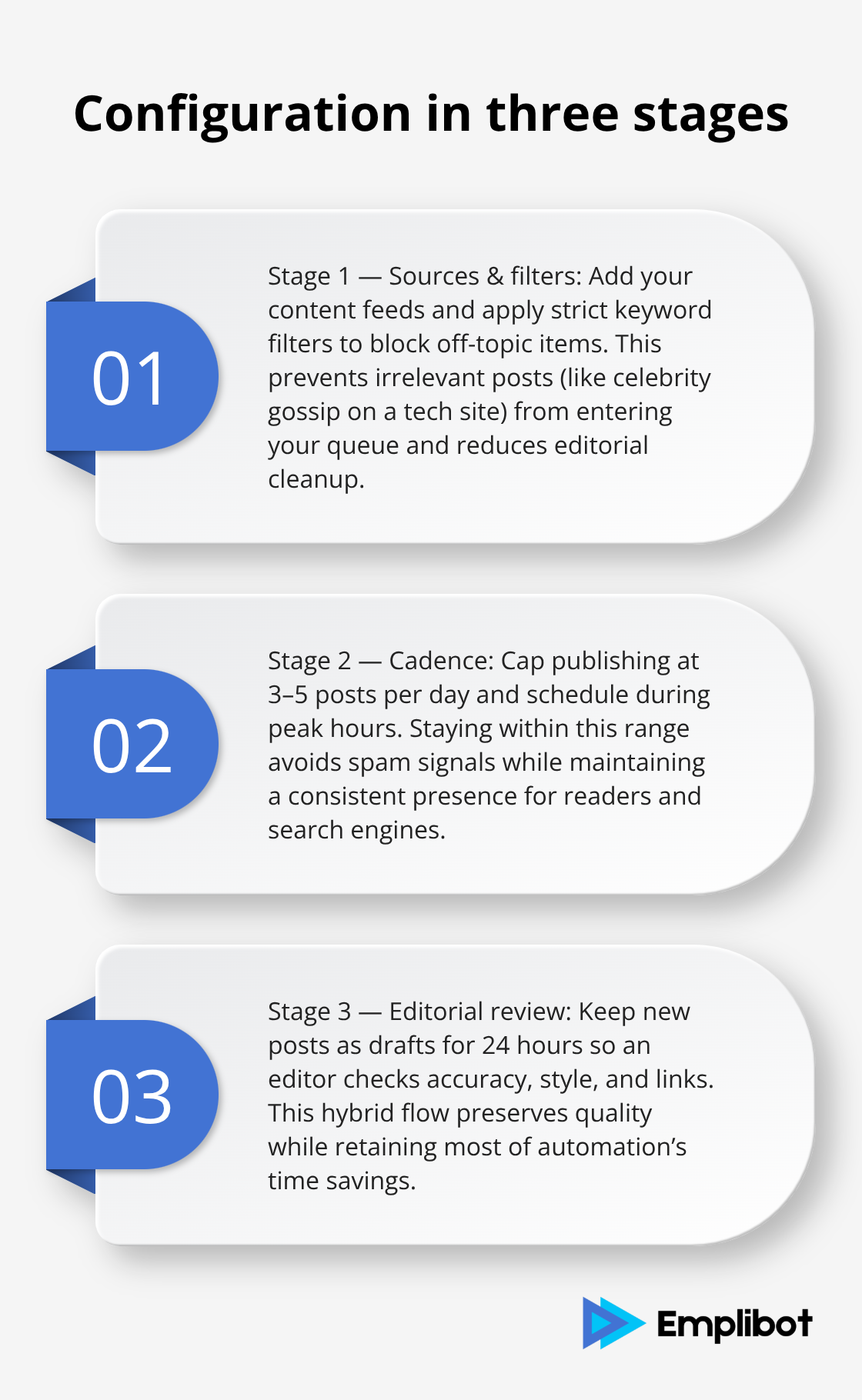
This hybrid approach captures 80% of automation’s time savings while preserving the quality control that separates successful sites from thin-content penalties.
Refining Your Content Sources
After 30 days of publishing, review your Google Search Console data to identify which content sources generate impressions and clicks versus which ones produce nothing. Kill the sources that underperform and double down on topics your audience actually searches for. This data-driven approach prevents you from wasting resources on feeds that attract no traffic. Strong plugins like WPeMatico and Feedzy provide the filtering and scheduling controls you need to implement this strategy effectively. Your plugin choice directly impacts how easily you can adjust your content mix and respond to performance data.
Final Thoughts
An autoblogging WordPress plugin transforms how your team operates by automating research, formatting, and scheduling so your staff focuses on strategy and growth instead. WP RSS Aggregator, WPeMatico, and Feedzy deliver real results when you configure them properly, but success depends on matching the right tool to your business model and maintaining quality control throughout the process. Google rewards fresh, consistent content, and these plugins deliver that frequency without proportional increases in headcount or budget.
Sites publishing 20–30 posts monthly through automation capture significantly more long-tail keywords than competitors relying on manual publishing alone. Your plugin becomes the foundation for scaling content output while your team focuses on audience engagement, conversion optimization, and strategic planning. Start small by identifying your content sources and publishing goals, test your chosen plugin on a staging environment with 10–20 sample posts, and configure your editorial workflow so new posts sit as drafts for review before going live.
Emplibot automates keyword research, content creation, and SEO optimization while distributing posts across WordPress, LinkedIn, Facebook, and Twitter-handling the entire autoblogging WordPress plugin workflow end-to-end. Your first 30 days of automation will reveal which content sources perform and which ones waste resources, allowing you to refine your strategy and expand what works. Autoblogging succeeds when you publish the right content consistently, at scale, without burning out your team.